Park easily.
Now in more places.
Expanding to more cities every day.
No parking machine needed.
Enter your license plate and location, and you're ready to go.
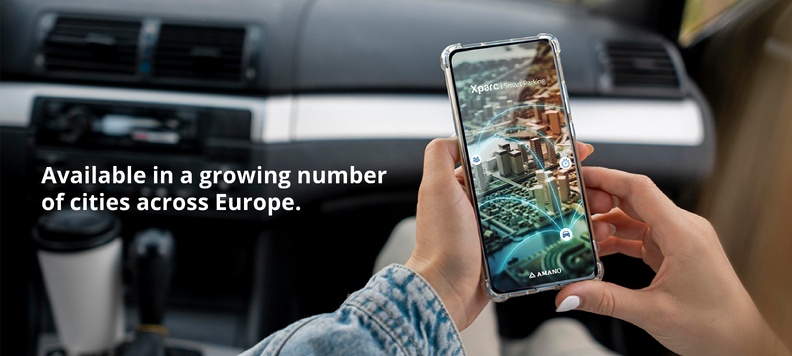
Whether you're parking on the street or in a parking facility, Xparc makes parking simple, transparent and convenient.
With one easy-to-use app, you can start and manage your parking sessions in just a few taps, without searching for a parking machine.
Available in a growing number of cities, municipalities and parking facilities, Xparc gives you access to more parking locations with a single app. Choose the payment method that suits you best, including the Wallet for faster payments and reduced service fees where applicable.
Before you confirm your parking session, you'll always see the applicable parking costs and any service fees, so you know exactly what you're paying. Whether you're parking on the street or in a parking facility, Xparc helps you stay in control every step of the way.
Create an account to enjoy the full Xparc experience, including Wallet,
parking history, notifications and access to new services as they become available.
Park smarter. Pay easier.
Download Xparc today.
Where can you park with Xparc?
Cities:
Aalter, Aarschot, Andenne, Antwerpen, Beveren-Kruibeke-Zwijndrecht, Boom, Brussel, Damme, De Panne, Deinze, Dendermonde, Diest, Dinant, Doornik, Durbuy, Gembloux, Genk, Geraardsbergen, Halle, Hamme, Hasselt, Herstal, Heusden-Zolder, Koksijde, Kortrijk, Liedekerke, Lier, Lokeren, Maasmechelen, Mechelen, Menen, Merelbeke-Melle, Mol, Mons, Mortsel, Namen, Nijvel, Nieuwpoort, Oudenaarde, Puurs Sint-Amands, Ronse, Sint-Joost-ten-Node, Sint-Niklaas, Temse, Tervuren, Tienen, Torhout, Turnhout, Verviers, Vilvoorde, Waregem, Wavre, Zaventem, Zele, Zottegem
Parking facilities:
Genk: ZOL, Hasselt: Park H, Parking Dusartplein, Parking Astrid, Parking Blauwe Boulevard, Parking Cultuurcentrum, Brussel: VUB, Asse: KunstAs.


Whether you're parking on the street or in a parking facility, Xparc makes parking simple, transparent and convenient.
With one easy-to-use app, you can start and manage your parking sessions in just a few taps, without searching for a parking machine.
Available in a growing number of cities, municipalities and parking facilities, Xparc gives you access to more parking locations with a single app. Choose the payment method that suits you best, including the Wallet for faster payments and reduced service fees where applicable.
Before you confirm your parking session, you'll always see the applicable parking costs and any service fees, so you know exactly what you're paying. Whether you're parking on the street or in a parking facility, Xparc helps you stay in control every step of the way.
Create an account to enjoy the full Xparc experience, including Wallet,
parking history, notifications and access to new services as they become available.
Park smarter. Pay easier.
Download Xparc today.
Where can you park with Xparc?
Cities:
Aalter, Aarschot, Andenne, Antwerpen, Beveren-Kruibeke-Zwijndrecht, Boom, Brussel, Damme, De Panne, Deinze, Dendermonde, Diest, Dinant, Doornik, Durbuy, Gembloux, Genk, Geraardsbergen, Halle, Hamme, Hasselt, Herstal, Heusden-Zolder, Koksijde, Kortrijk, Liedekerke, Lier, Lokeren, Maasmechelen, Mechelen, Menen, Merelbeke-Melle, Mol, Mons, Mortsel, Namen, Nijvel, Nieuwpoort, Oudenaarde, Puurs Sint-Amands, Ronse, Sint-Joost-ten-Node, Sint-Niklaas, Temse, Tervuren, Tienen, Torhout, Turnhout, Verviers, Vilvoorde, Waregem, Wavre, Zaventem, Zele, Zottegem
Parking facilities:
Genk: ZOL, Hasselt: Park H, Parking Dusartplein, Parking Astrid, Parking Blauwe Boulevard, Parking Cultuurcentrum, Brussel: VUB, Asse: KunstAs.
Expanding to more cities every day.
No parking machine needed.
Enter your license plate and location, and you're ready to go.
Pay with:
Receive notifications about active sessions and manage everything easily with an account.